

2.1 KiB
2.1 KiB
Makoto

A feature packed discord bot!






Developing Plugins
- Download the latest version of Makoto here.
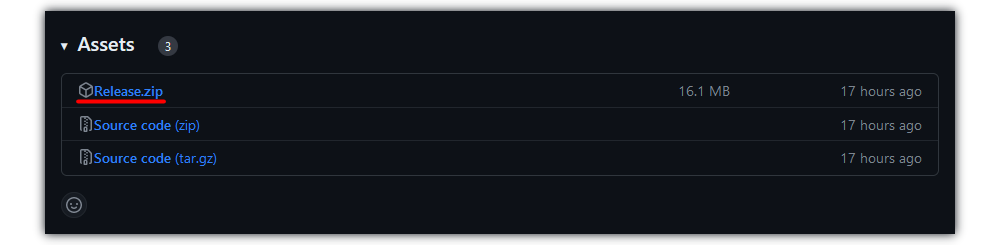
- Download the example plugin's source code here.
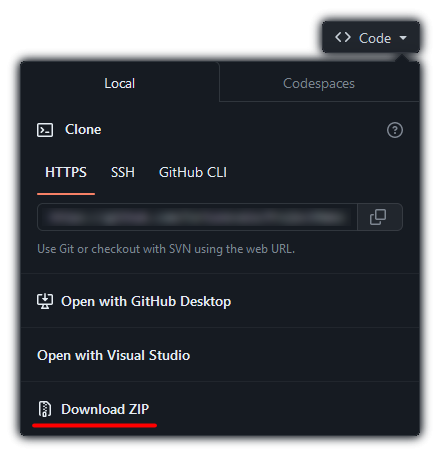
-
Create a folder called
depsin the root directory of the example plugin. -
Drop all files of release zip archive into the
depsfolder. -
Open the project.
-
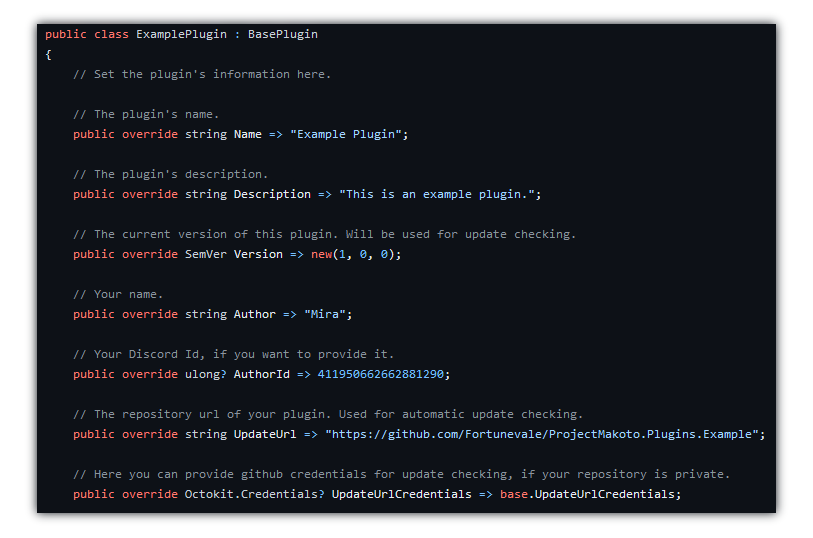
Specify your Plugin's Name, Author and other details in
ExamplePlugin.cs.- The comments should help you get started.
- You can rename this file, project and everything else, inheriting the
BasePluginis what matters for Makoto to find and load your plugin.
Testing your plugin
You need to set up Makoto (Guide). Running/Debugging Makoto with all necessary dependencies.
To run Makoto, you can instead use dotnet run ProjectMakoto.dll in the folder you saved Makoto to in Step 1 of Developing.